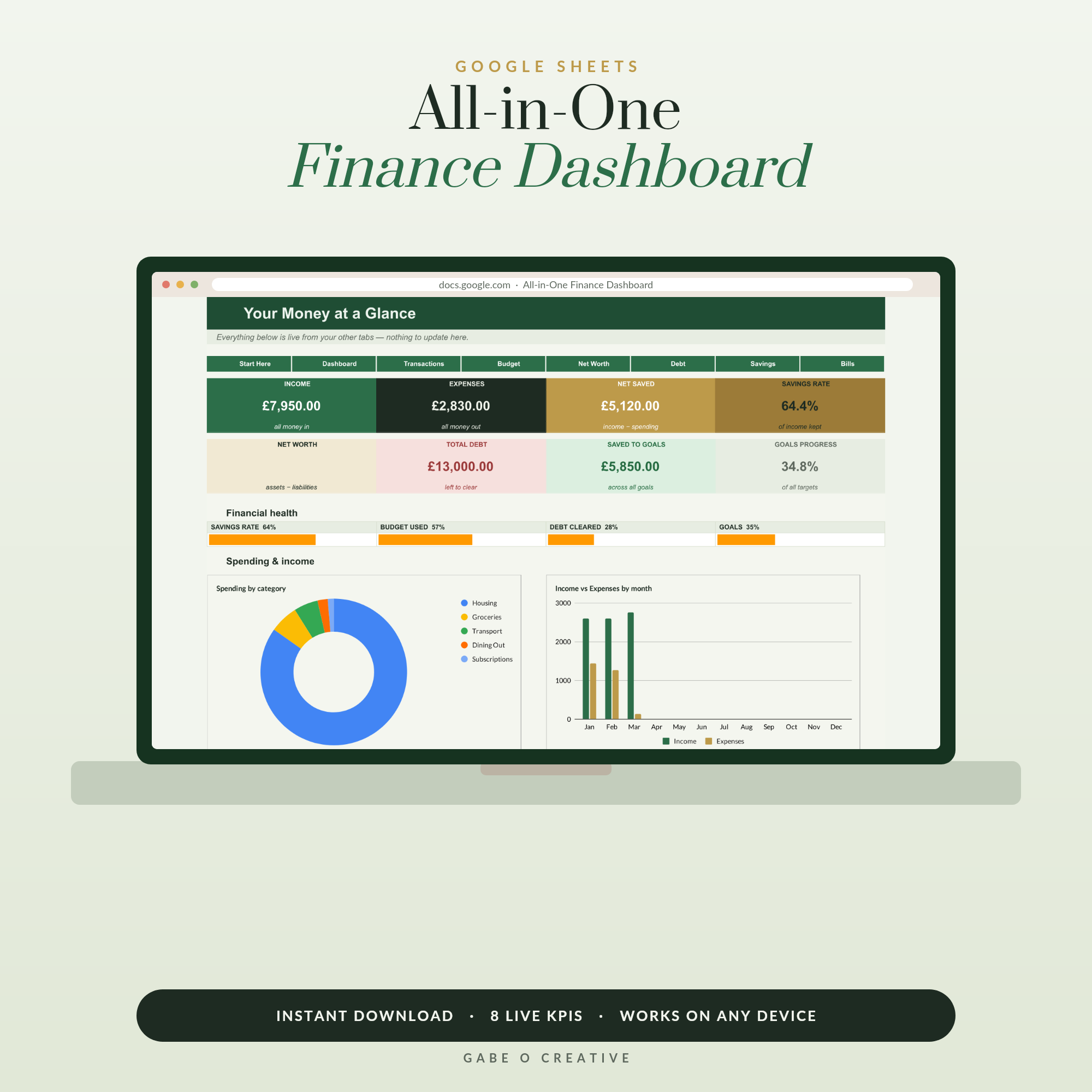
Here's an unfashionable opinion that keeps being proven right: a Google Sheets budget template beats almost every budgeting app for most people, most of the time. Apps launch, add subscriptions, get acquired and shut down — and every time one dies, thousands of people lose years of money history overnight. A spreadsheet doesn't do that. It sits quietly in your Google Drive, costs nothing to run, asks for no bank logins, and does exactly what you built it to do. The All-in-One Finance Dashboard is our take on what budgeting in Sheets can be when it's done properly — a live dashboard, not just a grid of numbers.
Want the finished version? The All-in-One Finance Dashboard gives you a full money HQ — budget, savings goals, debt and net worth — with every formula already built. Type your numbers; it does the rest.
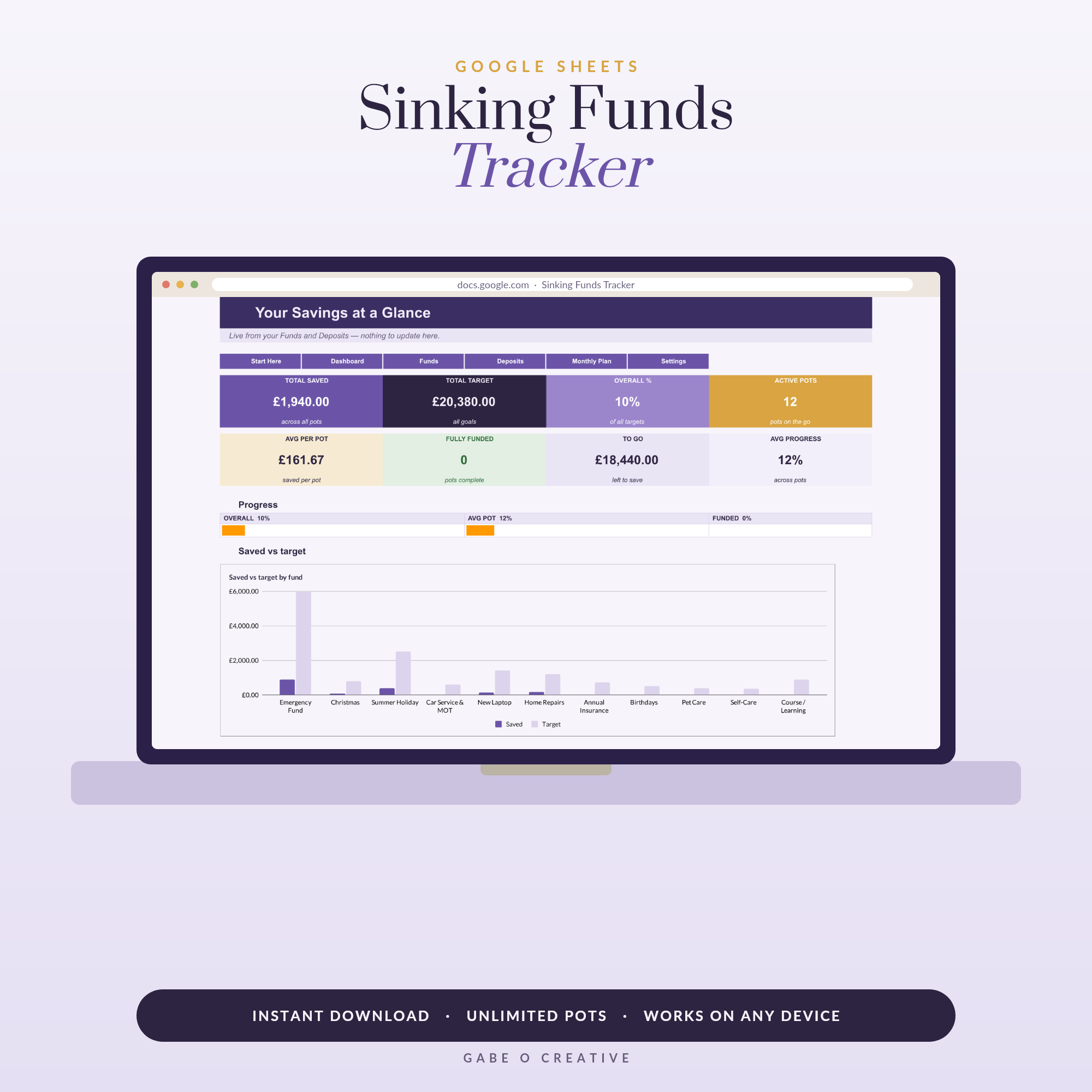 Shop Sinking Funds Tracker Spreadsheet, Google Sheets Savings Template, Multiple Savings Goals, Cash Stuffing & Budget Planner →
Why Spreadsheets Quietly Beat the Apps
Budgeting apps sell convenience, but look at what you actually trade for it:
- Subscriptions. The popular apps now charge £10–15 a month — £120+ a year to look at your own money. A good template is a one-off purchase, often less than a single month of an app.
- Bank logins. Most apps want read access to your accounts through a third-party service. A spreadsheet needs nothing but the numbers you choose to type.
- Shutdown risk. When an app sunsets — and the graveyard is long — your history, categories and habits go with it. A Google Sheet is yours until you delete it.
- One-size-fits-all categories. Apps decide how your money should be grouped. In your own sheet, if you want a category called 'Dog looks cold, buys jumper', you can have it.
The one genuine advantage apps keep is automatic transaction imports. But plenty of budgeters discover the manual minute a day is a feature, not a bug — typing each expense is exactly what makes you notice it. That awareness is half of why budgeting works at all.
What a Proper Budget Template Includes
There's a world of difference between a blank grid with 'Groceries' written down the side and an automated budget system. If you're choosing a budget template for Google Sheets, look for these pieces:
| Piece | What it does | Why it matters |
|---|---|---|
| Transactions log | One line per expense, with dropdown categories | Fast entry, no typos, tidy data |
| Budget vs actual | Targets per category with live progress bars | Shows overspend before it happens |
| Dashboard | KPI cards and charts fed by every tab | Your whole month in one glance |
| Savings goals | Named pots with progress tracking | Turns 'saving' into finish lines |
| Debt payoff | Balances, payments and payoff progress | Keeps the journey visible |
| Net worth | Assets minus liabilities, tracked monthly | The single best long-term scoreboard |
That last trio — goals, debt and net worth — is what separates a budget from a complete money system. If big irregular bills are what usually break your budget, pair it with a sinking funds tracker; our guide to sinking funds explains why they're the calmest trick in budgeting.
Set Up Your Budget in Ten Minutes
With a pre-built template the setup is genuinely quick:
- Make your copy. Open the template link and click File → Make a copy. It saves to your own Drive, private to you.
- Enter your income. Salary, side income, anything regular — one line each.
- Set category budgets. Start with your best guess; you'll refine after a month of real data. The 50/30/20 rule is a sensible starting split.
- Log as you spend. A minute in the evening or a five-minute Sunday batch — pick the rhythm you'll keep.
- Read the dashboard weekly. This is the step that changes behaviour: charts turn 'I think we're fine' into 'we're £60 over on eating out with a week left'.
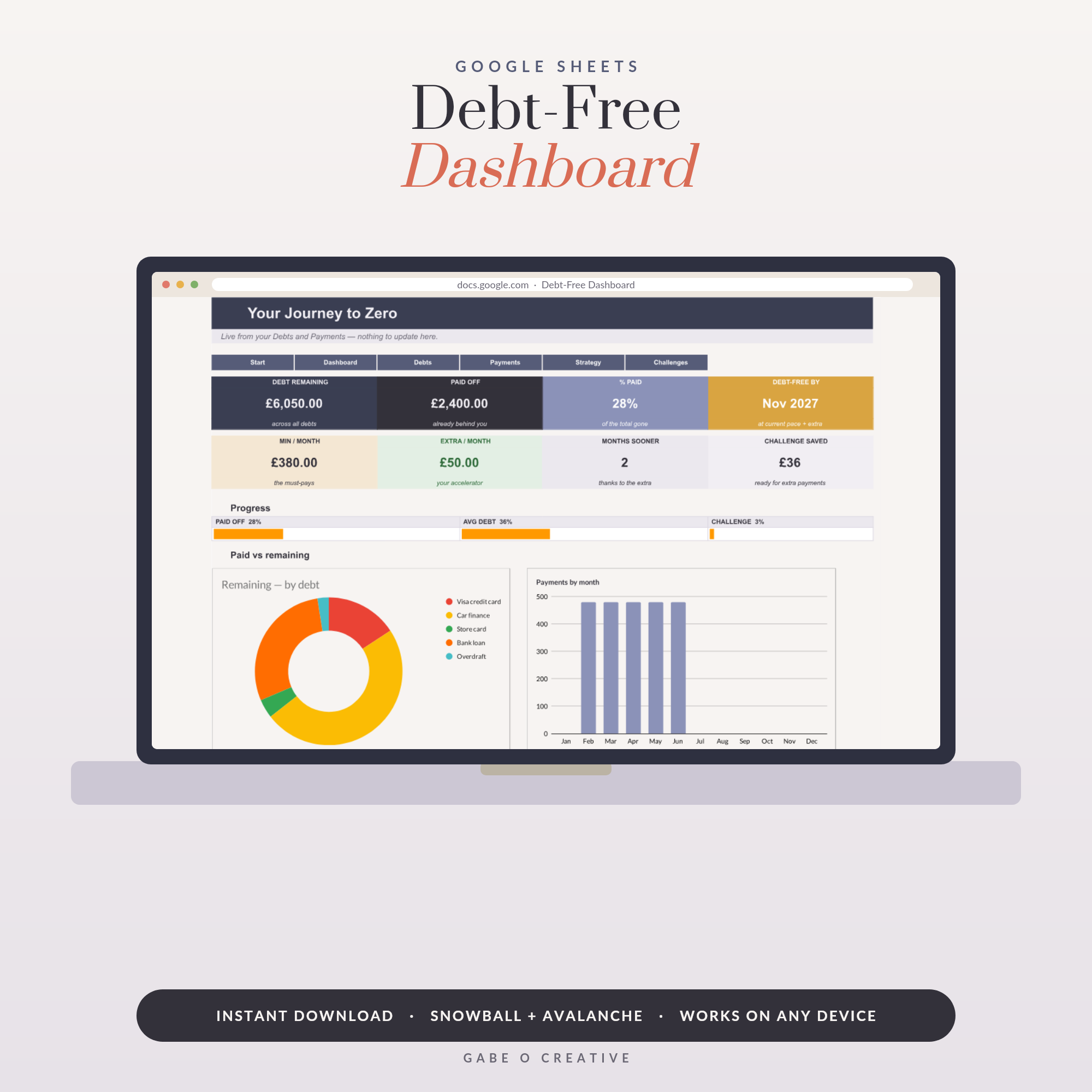 Shop Debt Snowball Spreadsheet Google Sheets, Debt-Free Dashboard with Avalanche Payoff Calculator, Debt Tracker, Savings Challenge & Payoff Date →
The habit that makes it stick
Pick one small trigger — the kettle boiling, the end of the school run — and attach your logging minute to it. Budgets don't fail from bad maths; they fail from three skipped weeks. A template that's pleasant to open genuinely helps, which is why we obsess over how ours look.
Sheets vs Apps vs Paper: the Honest Comparison
Paper budgets (and we sell plenty of printable expense trackers) are brilliant for people who think with a pen. Apps suit people who will truly never type a number. The spreadsheet sits in the sweet spot: automated maths without subscriptions, privacy without effort, and complete freedom to make it yours. It's also the only option of the three that doubles as a life skill — comfort with a spreadsheet pays off far beyond budgeting.
When an app IS the right call
If you've tried manual tracking twice and abandoned it twice, an auto-importing app beats an untouched spreadsheet. The best system is always the one you'll actually open on a random Tuesday in November.
Beyond the Budget: One Dashboard for Everything
Once the monthly budget is humming, the same spreadsheet logic extends to the rest of your money life. Track every savings pot with progress bars, watch debts shrink with a payoff plan (our Debt-Free Dashboard even calculates your debt-free date), and if you run any kind of side business, a bookkeeping dashboard keeps that money cleanly separate. Even your week can live in Sheets — the Daily + Weekly Planner proves a spreadsheet can be calm and lovely, not just functional.
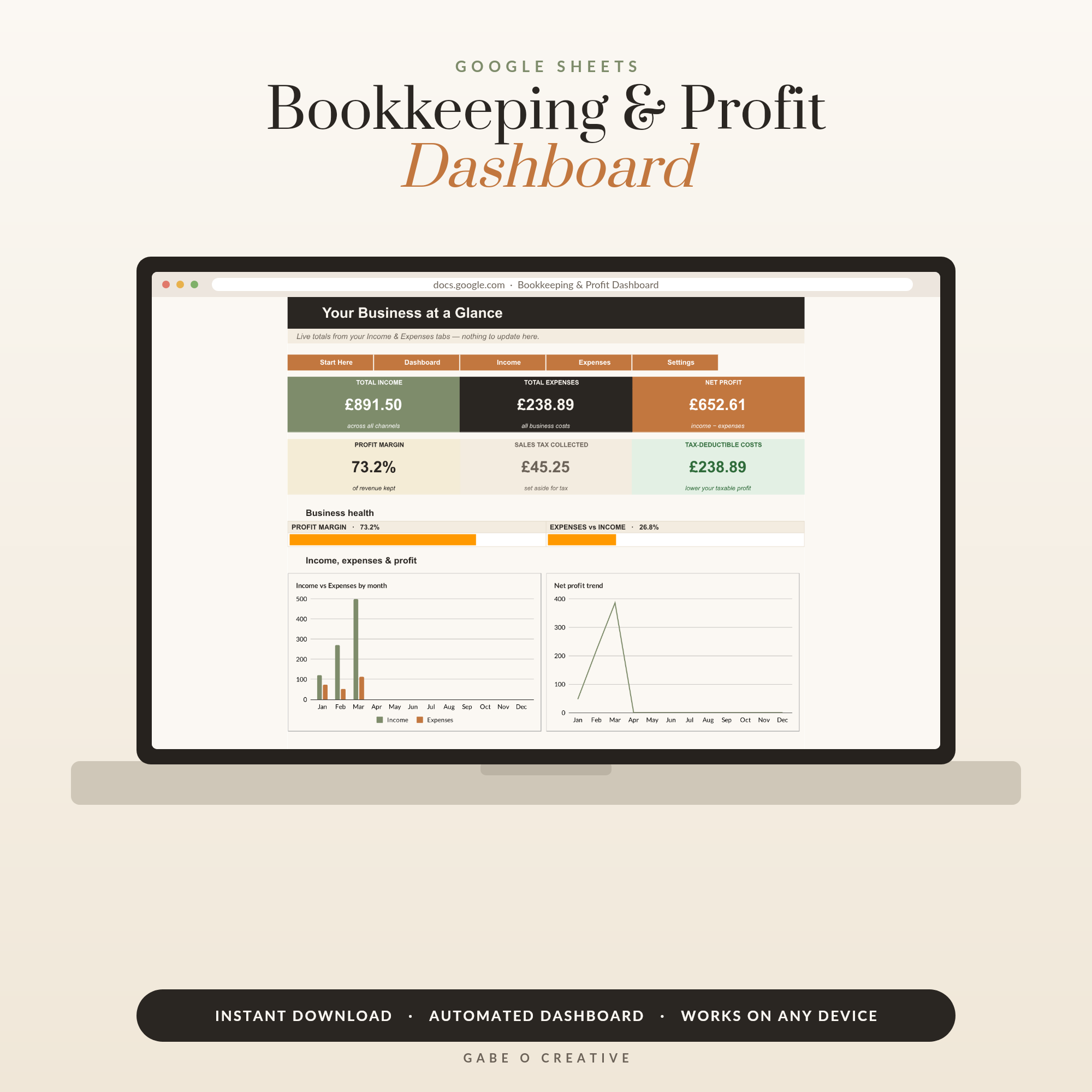 Shop Small Business Bookkeeping & Profit Dashboard, Google Sheets Template, Automated P&L, Income Expense Tracker →
Common Mistakes That Break a Spreadsheet Budget
After watching a lot of budgets succeed and fail, the failure patterns are surprisingly consistent — and all fixable:
- Too many categories. Forty categories feels thorough and lasts eleven days. Start with eight to twelve; you can always split 'Food' into 'Groceries' and 'Eating out' later, once the habit is solid.
- No 'fun' line. A budget with zero joy in it is a diet of plain rice — technically correct, abandoned by Friday. Give yourself a guilt-free spending line and protect it.
- Forgetting annual bills. Insurance, subscriptions, the MOT — the lumpy expenses that ambush an otherwise perfect month. Sinking funds exist precisely for this, and they slot straight into the same spreadsheet.
- Treating overspend as failure. The first three months of any budget are data collection, not a test. Going over on groceries doesn't mean you failed; it means your grocery number was fiction. Adjust it and carry on.
- Never opening the dashboard. Logging without reviewing is admin without the payoff. The weekly five-minute glance is where the behaviour change actually happens.
If you sell on Etsy or your own shop, our bookkeeping for Etsy sellers guide sets up a simple books system that survives tax season.
Google Sheets Budget FAQs
Is a Google Sheets budget template really free to use?
Yes — Google Sheets itself is free with any Google account, on any device. You can build a budget from a blank sheet for nothing, or buy a ready-made automated template once and use it forever with no subscription.
Is Google Sheets better than a budgeting app?
For most people, yes. Apps charge monthly, want your bank logins and shut down more often than you'd think. A spreadsheet is private, free to run, fully customisable and yours forever — the trade-off is typing in your numbers yourself, which many budgeters find actually keeps them more aware of their spending.
Do I need to know formulas to use a budget spreadsheet?
Not with a pre-built template. Good ones have every formula already wired in — you type your income and spending into the white cells and the totals, charts and progress bars update themselves.
Can I use a Google Sheets budget on my phone?
Yes. The free Google Sheets app on iPhone and Android opens your budget anywhere, and dropdown-based templates make quick entries painless on a small screen. Your changes sync automatically to every device.
What should a good budget template include?
At minimum: a transactions log with categories, a monthly budget vs actual view, and totals that update themselves. The best ones add a dashboard with charts, savings goals, debt payoff and net worth so your whole money picture lives in one tab.
Is it safe to keep my budget in Google Sheets?
Your sheet is private to your Google account unless you share it, and unlike most budgeting apps you never hand over your bank credentials. For extra peace of mind, turn on two-factor authentication for your Google account.
Ready to fire your budgeting app? Get the All-in-One Finance Dashboard — budget, savings, debt and net worth in one automated Google Sheet, delivered instantly and yours forever — or browse the full Google Sheets collection.